Many rewrite styles
Choose professional, friendly, formal, casual, short and other useful styles.
TapFix AI Keyboard turns rough drafts into clearer messages: professional, friendly, formal, casual, shorter or more polished.
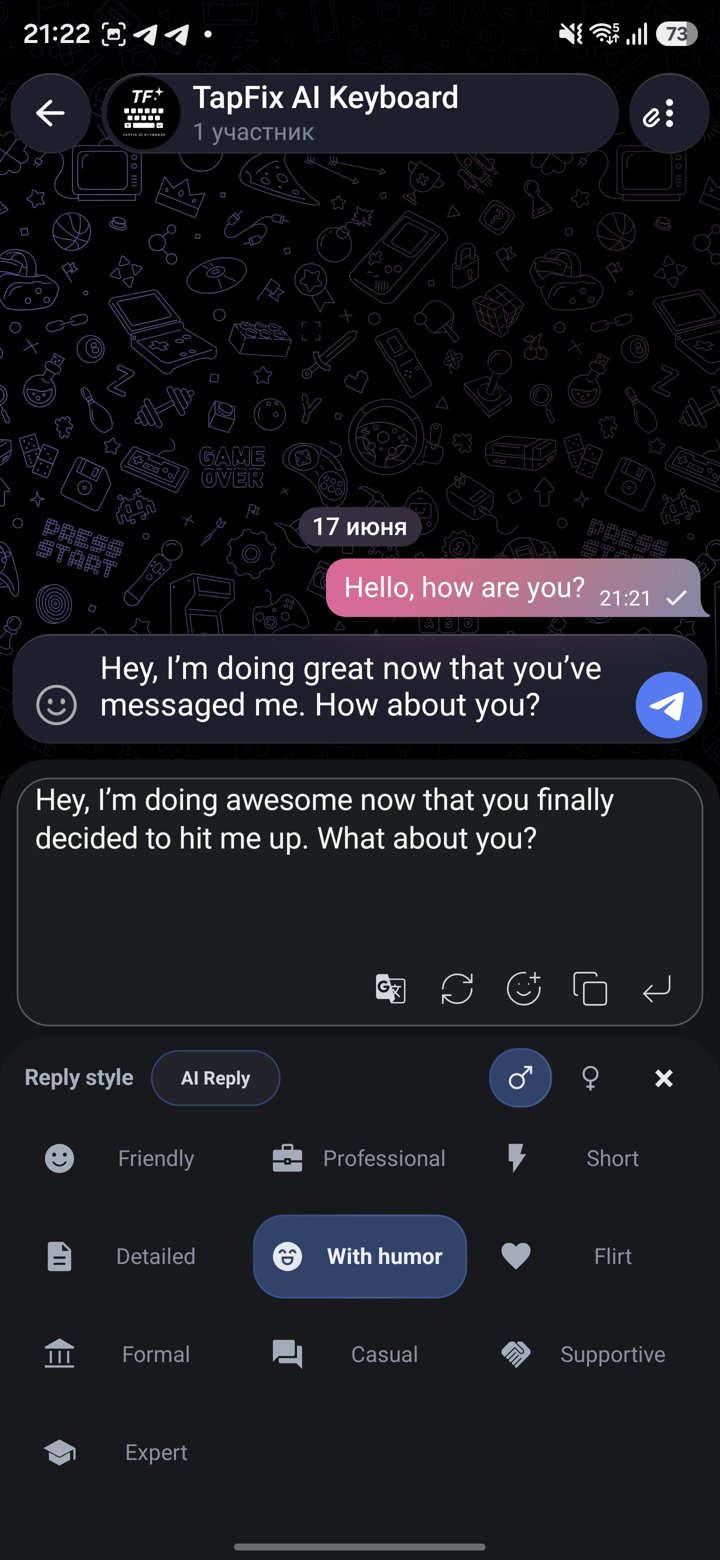
Some messages need a calmer tone, a shorter version or a more professional shape. TapFix rewrites from the keyboard so you can improve wording without leaving the app.
Choose professional, friendly, formal, casual, short and other useful styles.
Make a message warmer, clearer or more direct in one action.
Fix mistakes first, then rewrite the tone if the message still feels off.
Use it for chats, email replies, posts, support messages and notes.
Start with the message you already have, even if it is messy.
Pick the rewrite style that fits the situation.
Review the new version, edit if needed and send only when it feels right.
Install through Google Play on Android or the App Store on iPhone, then rewrite messages in the right style before you send them.