✦
AI Fix
Correct grammar, spelling and punctuation in the current message when you choose the AI action.
A full keyboard for Android with AI text fixing, strong rewrites, translation, dictation, emoji search, predictive typing, quick replacements, clipboard history and screenshot quick paste.
Normal typing works locally. AI features use the network only when you tap an AI action.
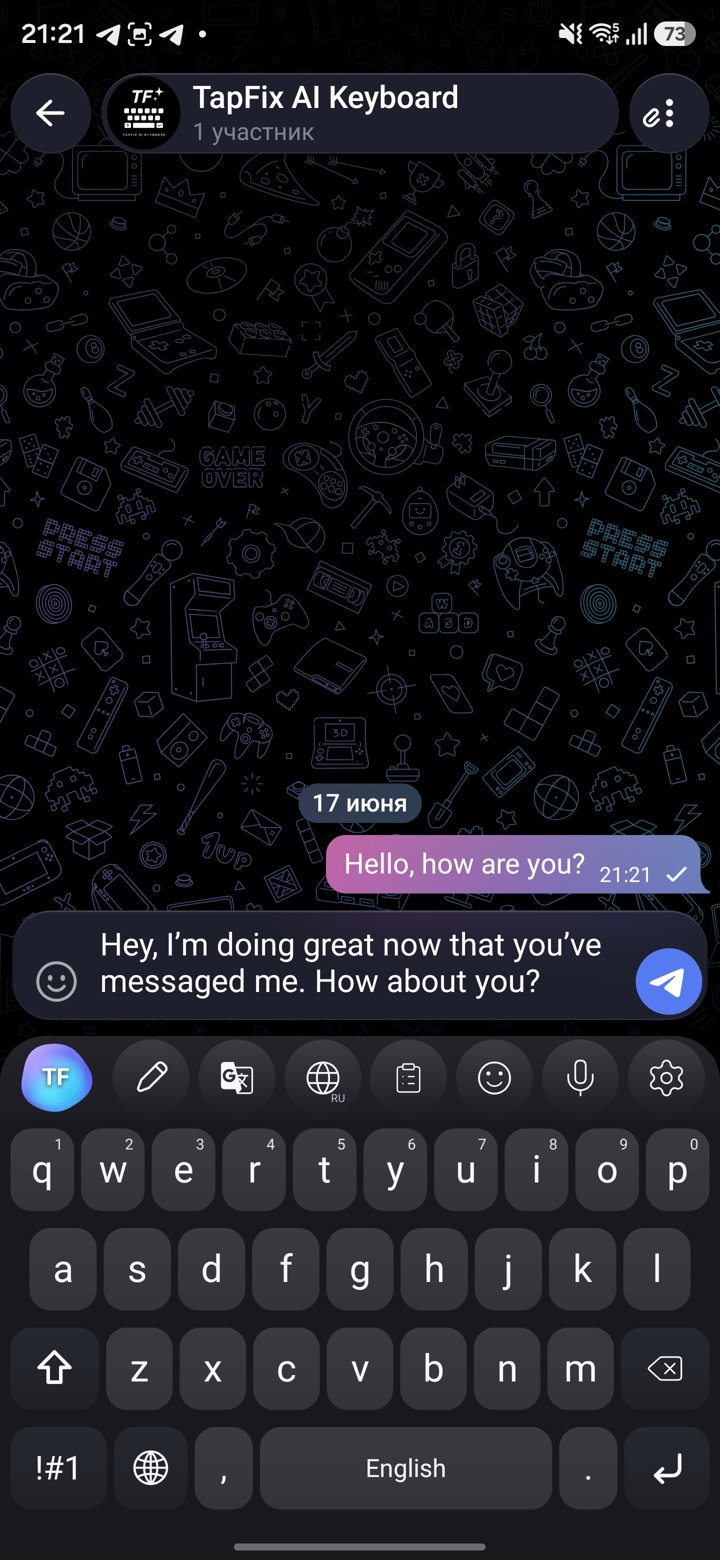
TapFix AI Keyboard keeps everyday tools one tap away while keeping sensitive behavior explicit and user-controlled.
Correct grammar, spelling and punctuation in the current message when you choose the AI action.
Rewrite text as friendly, professional, formal, casual, short or with contextual emoji.
Translate selected or typed text into the language you choose from the keyboard.
Use the microphone to dictate text through Android speech recognition and insert the recognized result.
Find emoji by words, categories and history without leaving the keyboard.
Keep useful copied text, links and recent screenshots ready for fast paste.
Use local dictionaries, learned words, email suggestions and quick replacements to type faster.
Adjust keyboard height, font weight, themes, haptics, languages and layout behavior.
In email fields, TapFix AI Keyboard lowercases email input and can remember previously used addresses locally.
Real screens from TapFix AI Keyboard — what each tool does and why it helps.
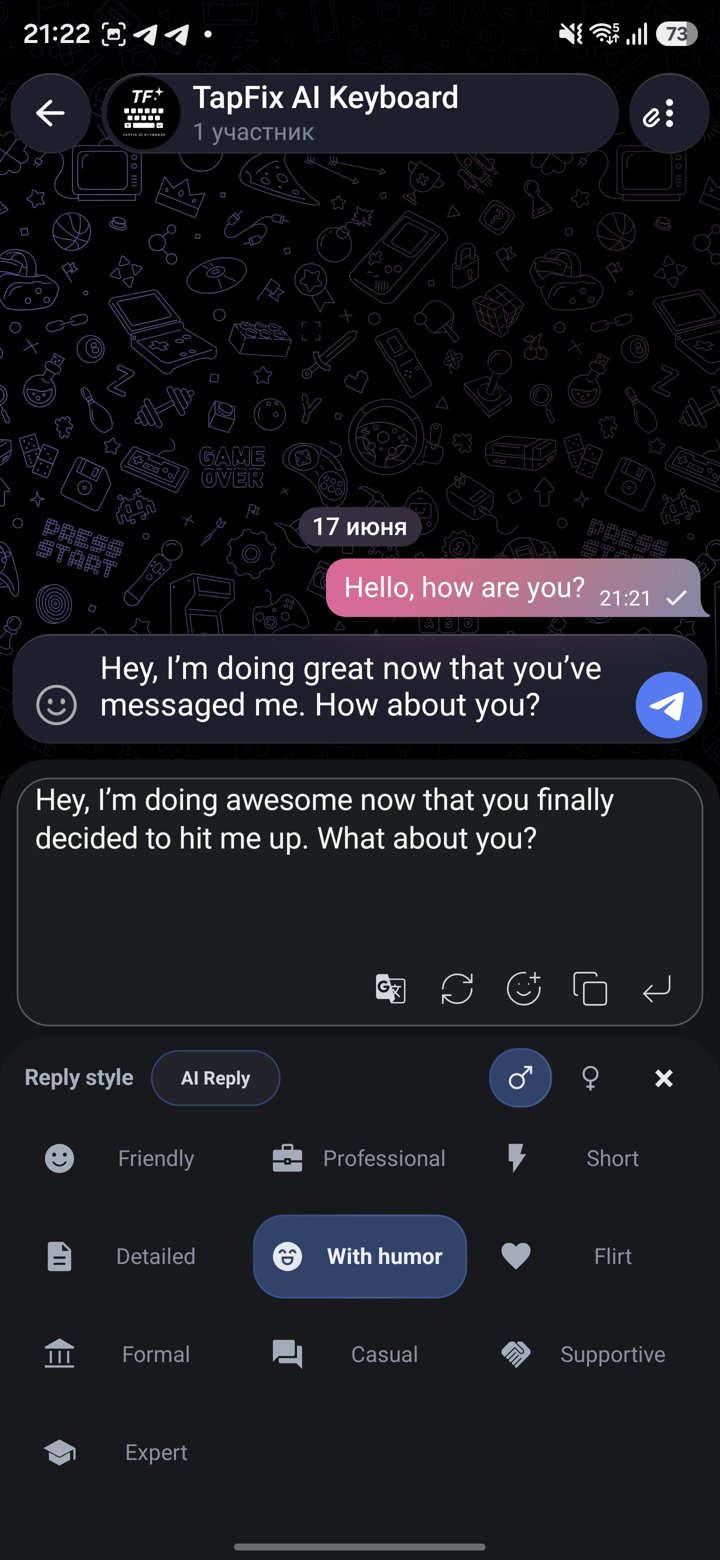
Turn a rough draft into a polished message — friendly, professional, short, formal, with humor and more. The meaning stays; the wording gets better.
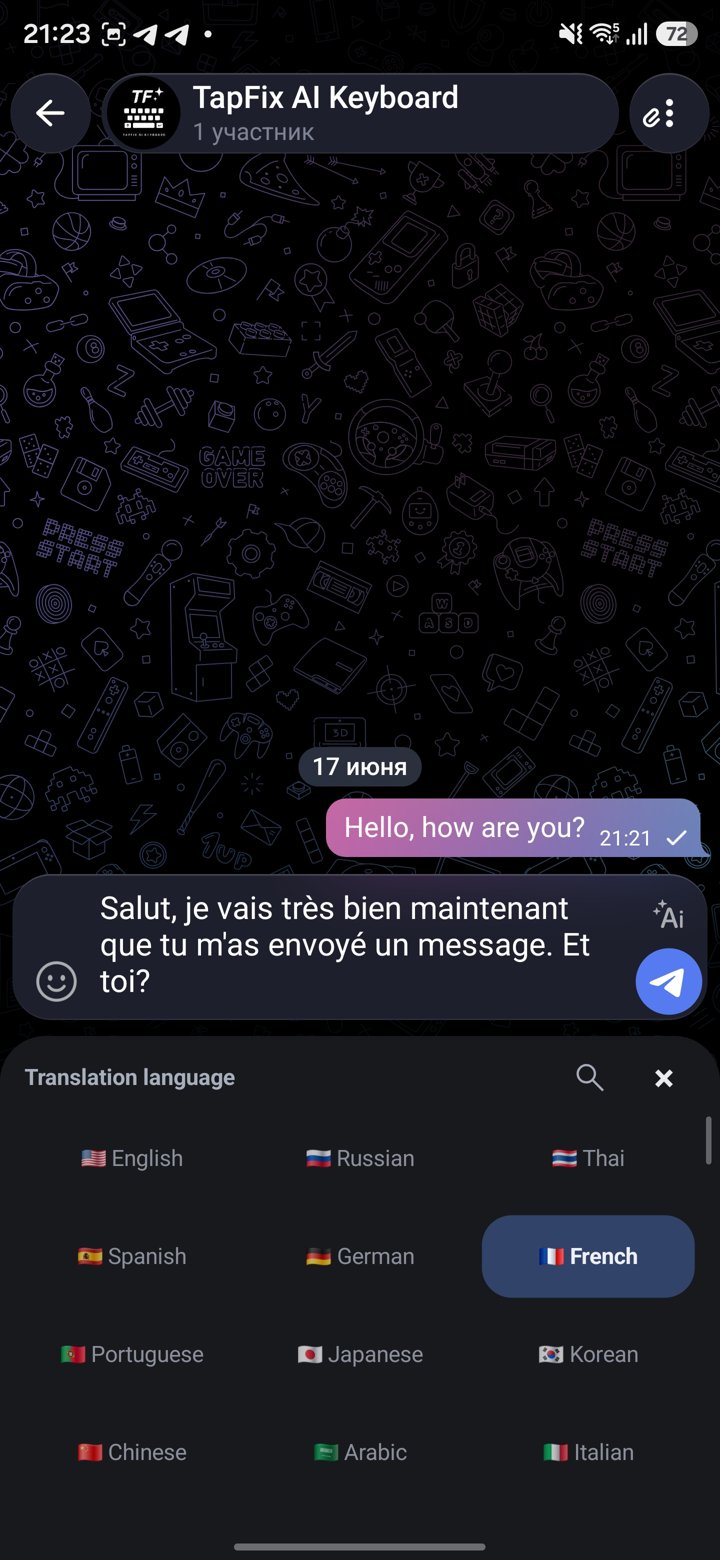
Translate your message into 100 languages right inside the keyboard, before you send it. Pick a language and the text is ready to go.
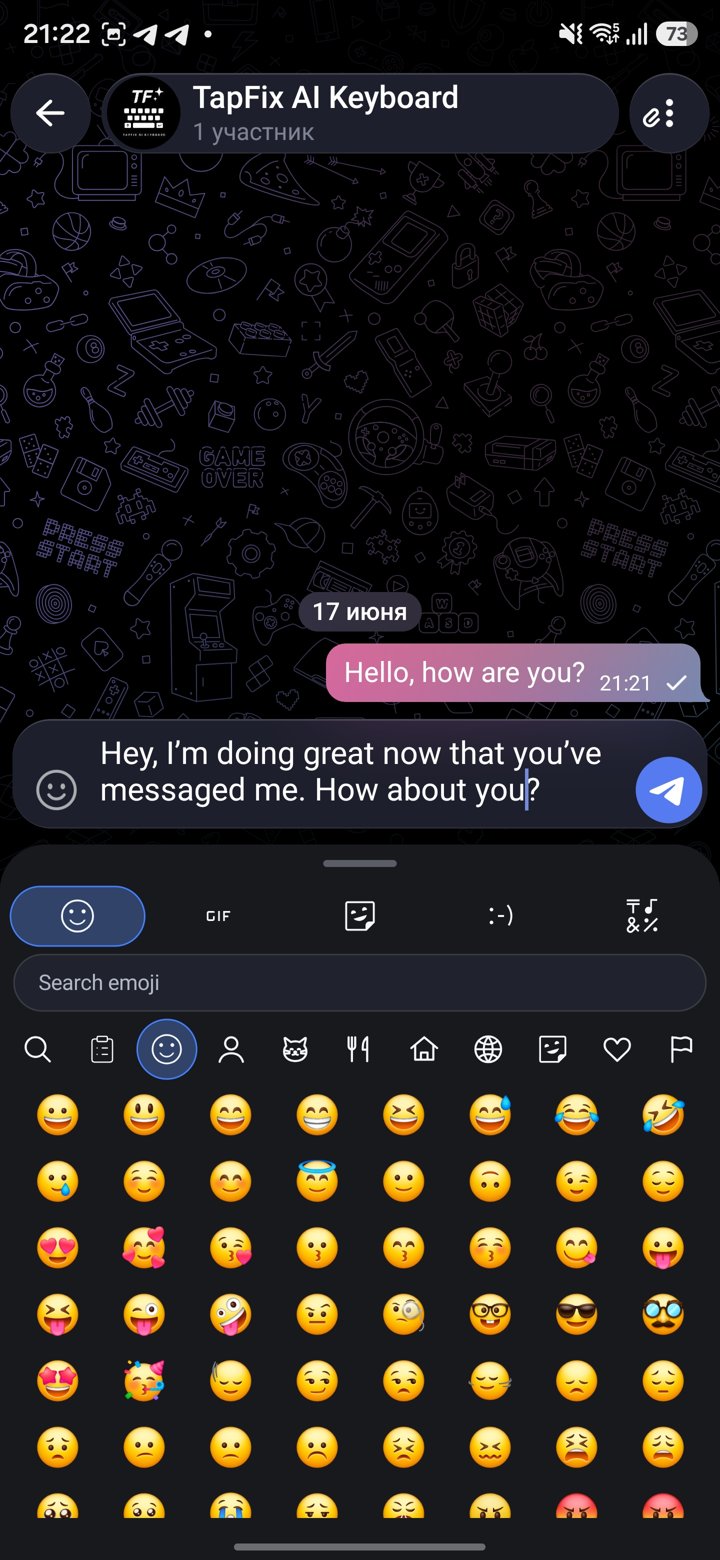
Find and add the perfect emoji in seconds, or let AI sprinkle fitting ones into your text automatically.
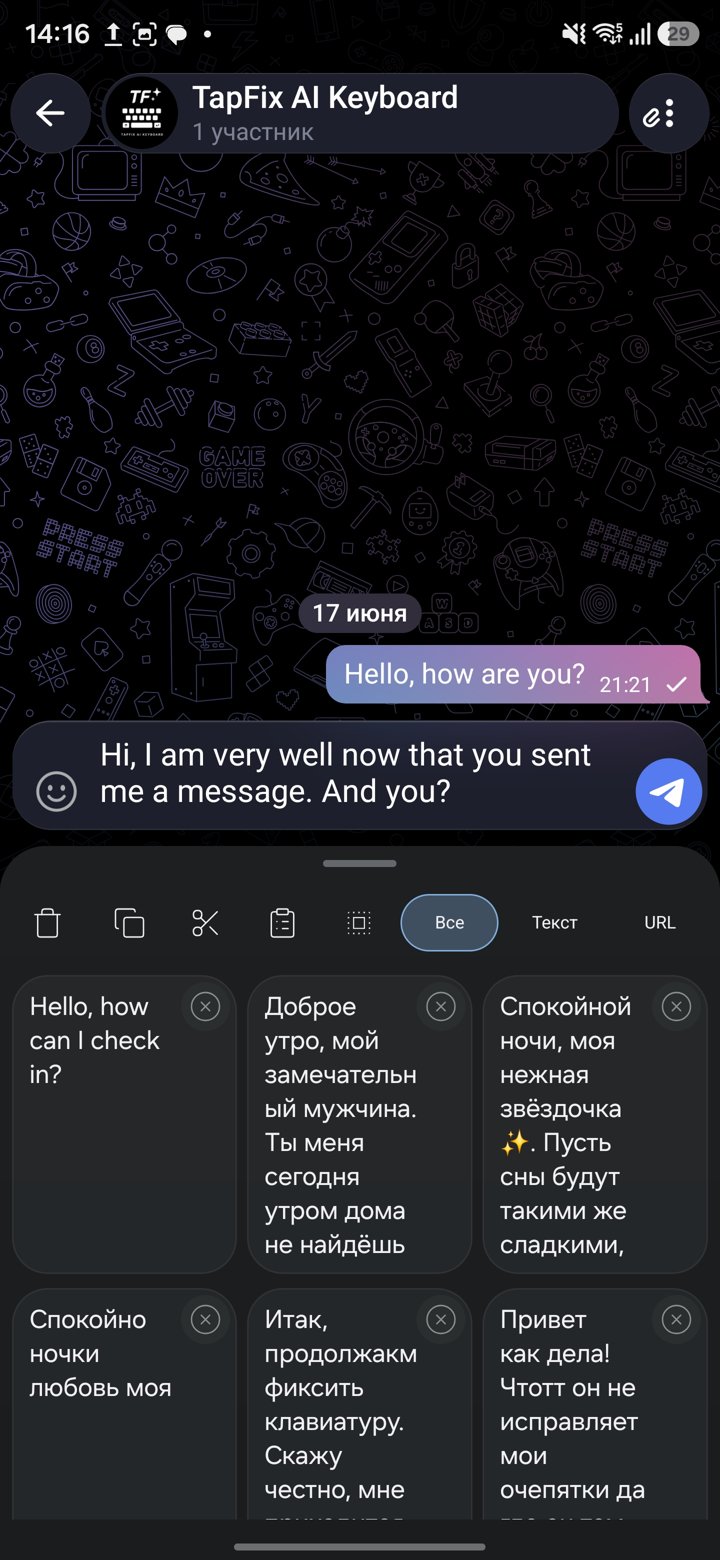
Everything you copy is saved, so you can paste something from earlier — plus pinned notes for text you reuse, like templates and signatures.
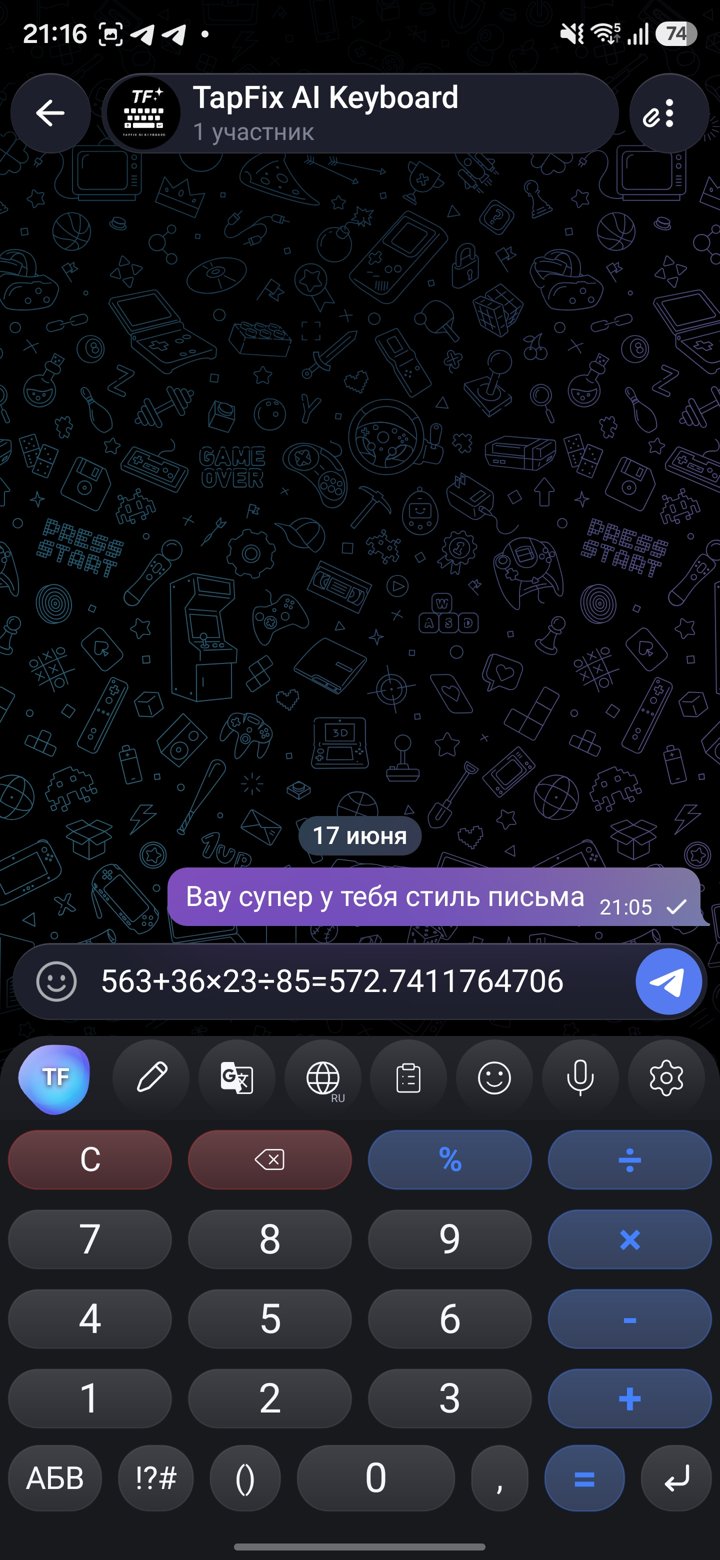
Need quick math mid-chat? The calculator is built right into the keyboard — count and paste the result without leaving the conversation.
The keyboard asks for access only to power visible features. You can deny optional permissions, disable features or uninstall the app at any time.
Details for app review, privacy review and users who want the exact behavior.
| Access | Android permission / source | Why it is used | Where data goes |
|---|---|---|---|
| AI text actions | INTERNET | Fix, rewrite, style and translate text after the user chooses an AI action. | Text for the requested action is sent over HTTPS to TapFix AI servers. |
| Keyboard input | BIND_INPUT_METHOD | Allows the app to act as the active Android keyboard. | Typed text is handled by the keyboard. AI processing is triggered by user actions. |
| Dictation | RECORD_AUDIO | Listens when the user starts dictation and inserts recognized speech as text. | Audio is handled by Android speech recognition. TapFix AI stores the final text only if the user keeps it in the input field. |
| Screenshot quick paste | READ_MEDIA_IMAGES / READ_EXTERNAL_STORAGE | Shows recent screenshots and images so the user can paste them quickly. | Images stay on the device unless the user pastes/sends them in another app. |
| Clipboard history | System clipboard | Shows copied text, links and image references inside the keyboard clipboard panel. | Clipboard history is stored locally on the device. |
| Haptics | VIBRATE | Small vibration on key presses and long-press delete. | No data leaves the device. |
| Local personalization | App storage | Stores language choices, theme settings, quick replacements, learned suggestions, emoji history and email suggestions. | Stored locally on the device. |
Questions about permissions, privacy or keyboard setup?