100+ languages
Translate messages for travel, work, support, study and everyday chats.
TapFix AI Keyboard helps you translate what you type or receive into 100+ languages before you send the final message.
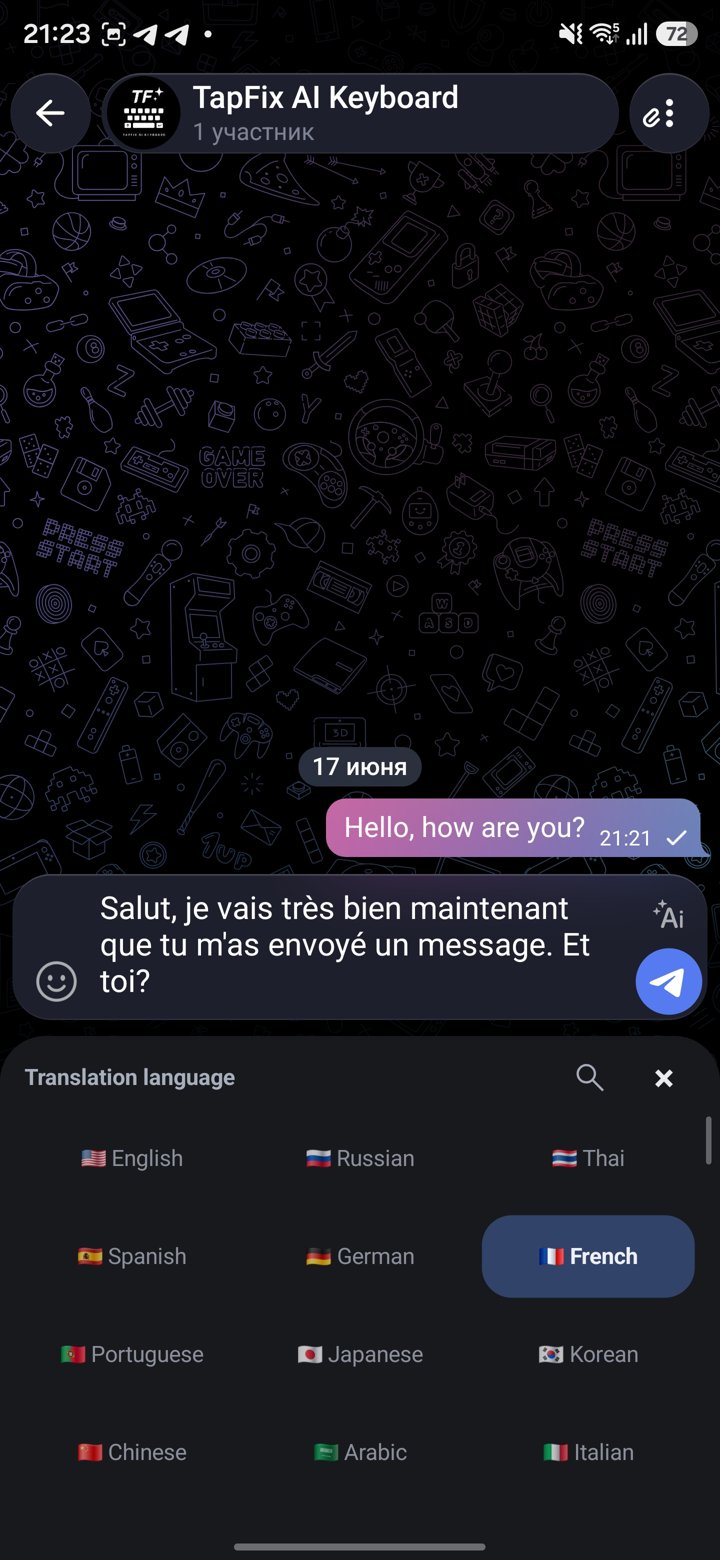
Instead of copying text into another translator, choose a target language from TapFix AI Keyboard and keep the conversation moving in the app you were already using.
Translate messages for travel, work, support, study and everyday chats.
Translate your own draft and review it in place.
Translate text you copied or selected, then reply in the right language.
Translate first, then make the message shorter, warmer or more professional.
Start from your draft or a message you received.
Choose the target language from the keyboard.
Review the translated text and send it from the same app.
Download TapFix AI Keyboard from Google Play for Android or from the App Store for iPhone, then translate messages without leaving the conversation.